
This is a modest collection of items related to computing and education through computers created in the United States between 1970 and 1989.
View some of the collection's highlights below, or select the "browse" option on the upper right of this page to search through all of the collection's records.
-
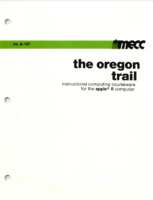
The Oregon Trail ManualInstruction manual for the video game "The Oregon Trail" developed by the Minnesota Educational Computing Consortium (MECC). The manual contains instructions for playing the game, as well as additional guidance for teachers to help incorporate the game's content in an educational setting. -
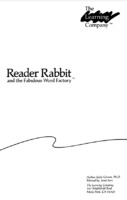
Reader Rabbit ManualThe Learning Company's Reader Rabbit manual for the Atari 8-bit, Apple II series and IBM-PC computers. -
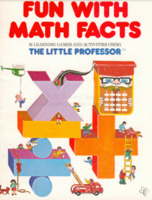
Fun With Math FactsA manual bundled with Texas Instruments' "Little Professor" calculator. It contains operating instructions for using the calculator, as well as a number of math activities designed to accompany its various instructional modes. -
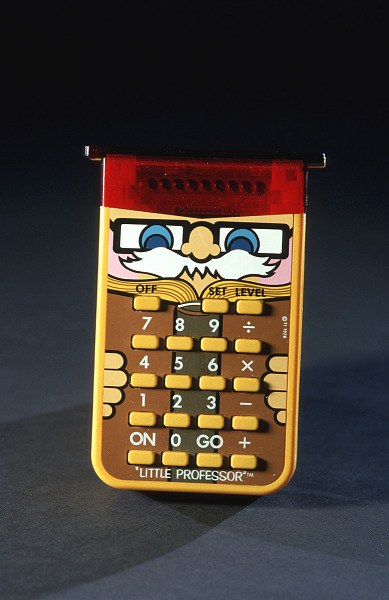
Little ProfessorIntroduced in mid-1976, the Little Professor is a non-printing electronic calculator modified to present simple arithmetic problems. A correct answer prompts another problem on the eight-digit display. An error delivers the message, "EEE." The colorful keyboard shows a professor with whiskers and glasses. The red light-emitting diode screen, in combination with the top of the instrument, looks like a mortar board. This example has buttons that allow one to set the level of problems, as well as an on/off button on the front rather than the side of the machine. These features were introduced in a version of the machine made from 1978 onward. -
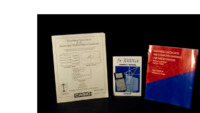
Graphing Calculators in the Secondary Mathematics ClassroomCasio Computer Company introduced its fx-7000G graphing calculator in 1985. By 1989, when this monograph was published, other graphing calculators were available, not only from Casio, but from Sharp and Hewlett-Packard. However, because of its low cost, relatively large viewing screen, versatility, and ease of operation, the authors of the manual chose to focus on use of the Casio fx-7000G. The detailed text also describes basic operations of the calculator, graphical solutions to equations, a variety of functions, and applications in modeling in statistics. It was distributed by the Michigan Section of the National Council of Teachers of Mathematics.
The metadata for each record is comprised of 10 fields:
- Title - My self-appointed name for the item described in the record.
- Alternative Title - The title given to the item in the record of the item from the collecting institution from which I am deriving my data (if applicable).
- Subject - A controlled set of terms or keywords used to categorize the item.
- Date - The year(s) (Gregorian calendar) associated with the creation or publication of the item.
- Format - The measurements of the item (if applicable).
- Material - The material(s) that compromise the item.
- Description - Either a description of the item written by myself or its collecting institution. “Creator” - The person(s) or corporations responsible for the creation of the item, including authorship and/or manufacturing.
- Collected by - The collecting institution that currently has custody of the item.
- Identifier - The URI, accession number, and/or stable link to a resource in the digital collection or record system of the item’s collecting institution.
- Rights - Statement of copyright pertaining to the item.
I used controlled vocabularies to populate certain fields:
- Subject - Getty AAT
- Material - Getty AAT
- Creator - Wikidata URI
- Collected by - Wikidata URI
- Rights - rightsstatements.org standardized statements
P.S. To any Pratt students reading this:
I couldn't figure out how to customize the item pages display. I made an alternate, slightly nicer looking version of one on the /item page. Both pages have been modified using basic HTML in addition to the Omeka S site editor. Please view them through the backend editor if you'd like to see how!